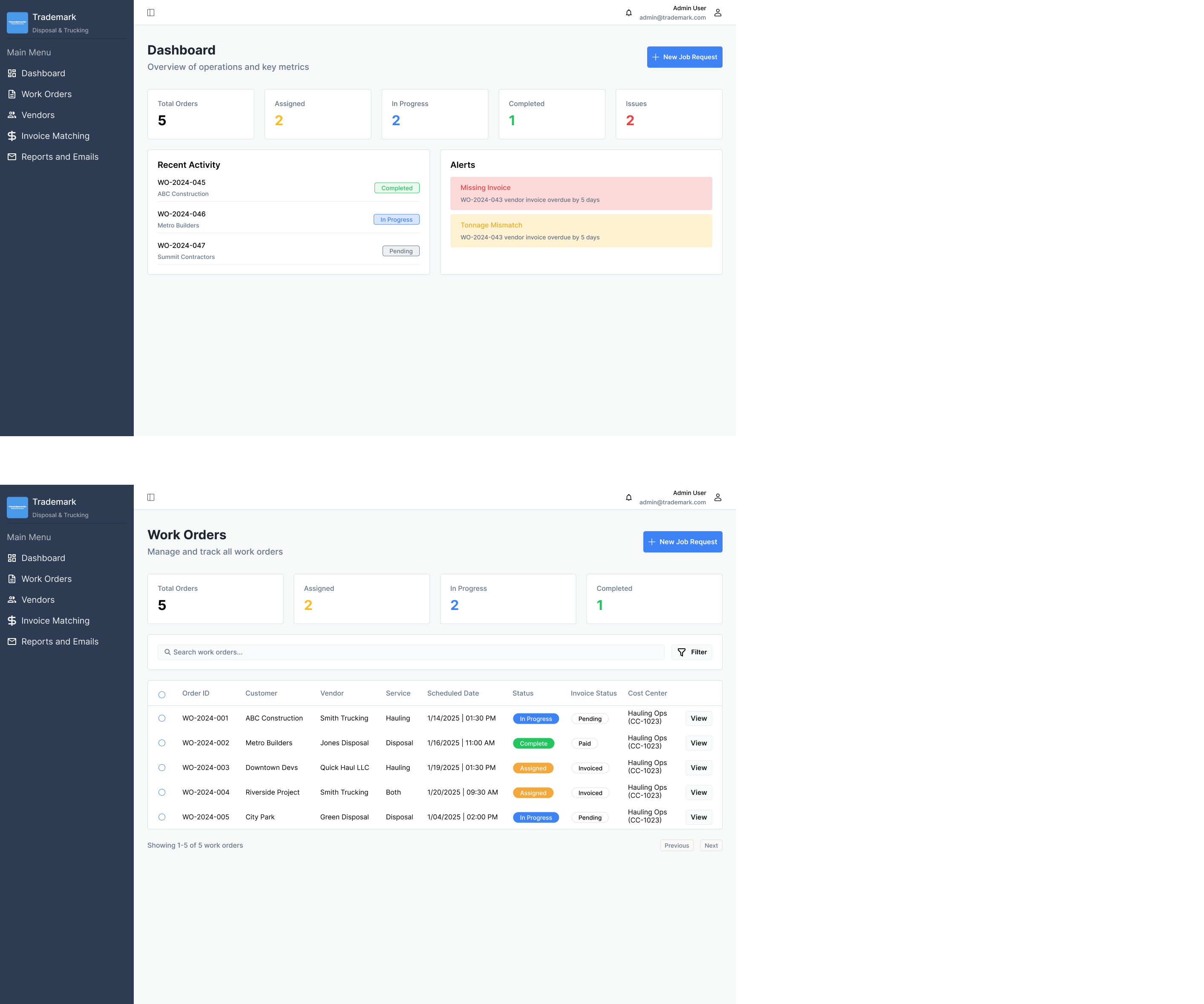
Trademark Water Solutions, a regional water and waste management provider, needed a centralized system to manage their work orders, vendor relationships, and invoicing workflows.
As sole designer at NextGen Coding Company, I consulted with trademark to execute end-to-end UX and UI design of a scalable internal-use dashboard that integrated directly with QuickBooks to synchronize financial data, automate alerts, and streamline vendor collaboration.
Problem Space
Desired Functionalities
Trademark needs a scalable platform to manage their daily disposal and trucking operations which enables:
Internal staff to create, assign, and monitor work orders
Vendors to upload invoices and job documentation
Finance teams to reconcile payments and sync data with QuickBooks
All users to track project statuses with transparency and accuracy
tldr;
Design a clean and modern dashboard for managing work order, vendors, and invoices with a focus on speed, clarity, and data integrity
Constraints
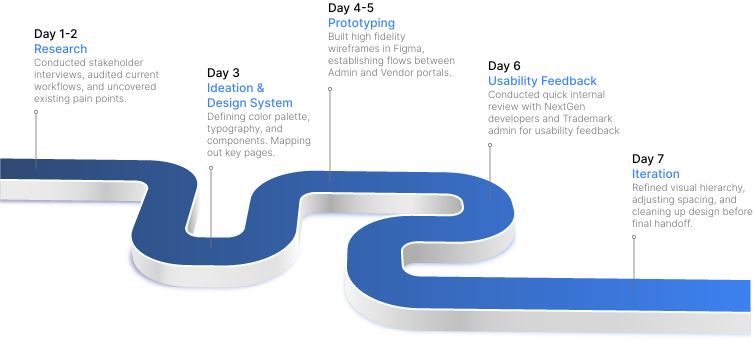
Because the project was fast paced with limited discovery time, changes had to be made to the design process...
I mostly relied on secondary research methods - including competitive analysis and web scraping of SaaS dashboards, coupled with limited stakeholder interviews, to guide design decisions.
Research Approach
Stakeholder Interviews
Given the time constraint I was only able to conduct 2 stakeholder interviews. Each interview lasted about 30 minutes and followed a semi-structured format, which allowed for both guided and open-ended responses.
The goal was to uncover daily workflow patterns, interdepartmenal dependencies, and breakdowns of tasks / handoffs.
1
Operations Manager & Billings Coordinator
Focus Areas
Frequency and format of vendor communication
Handoff timing between admin, dispatch, and billing
Manual data entry errors and their downstream effects
2
Hauling and Disposal Vendors
Process
Ease of onboarding
Document upload and job acceptance process
Communication frequency between dispatch and billing
1
Competitive Analysis
I benchmarked existing SaaS platforms to identify best practices in dashboard clarity, workflow management, and role-based access. Common successful patterns included consistent sideboard navigation, color-coded job statuses, and internal messaging tools.
Secondary Research
Each interview lasted about 30 minutes and followed a semi-structured format, which allowed for both guided and open-ended responses.
The goal was to uncover daily workflow patterns, interdepartmenal dependencies, and breakdowns of task visibility or handoffs.
2
Web Scraping
To compliment competitive analysis, I explored various online forums such as reddit to learn about existing pain points in work order management.
Inconsistent document formats delayed approvals
No real-time sync
Lack of Consistency
No secure data transfers
Approval processes differed by department
Teams hesitated to rely on unverified entries
Insights
Using a 4-4 matrix to synthesize our research and pain points, I uncovered key insights related to topics such as data security, trust, and efficiency.
Invoice mismatches reduced trust in data
Low payment transparency
Email-dependent updates
Missing automation
No consistent naming conventions
Missed updates led to duplicate work
Miscommunication
Lack of Consistency
Cross-team feedback loops were slow
Invoices were sometimes lost or overwritten
Unclear ownership
Key Takeaways
For the initial launch of the brand, we will focus on two key problems in the current brand.
1
Lack of Consistency
There was no standard for tracking work order details, often tracked in shared spreadsheets and email threads, making vendor assignment difficult.
2
Major Miscommunications
Vendors often uploaded weight tickets and invoices late or in inconsistent formats, increasing human error in the manual matching process.
3
Human Errors
The finance team manually matched data across systems before syncing to QuickBooks, leading to errors and delayed payments.
Mapping It Out
From problem to pattern
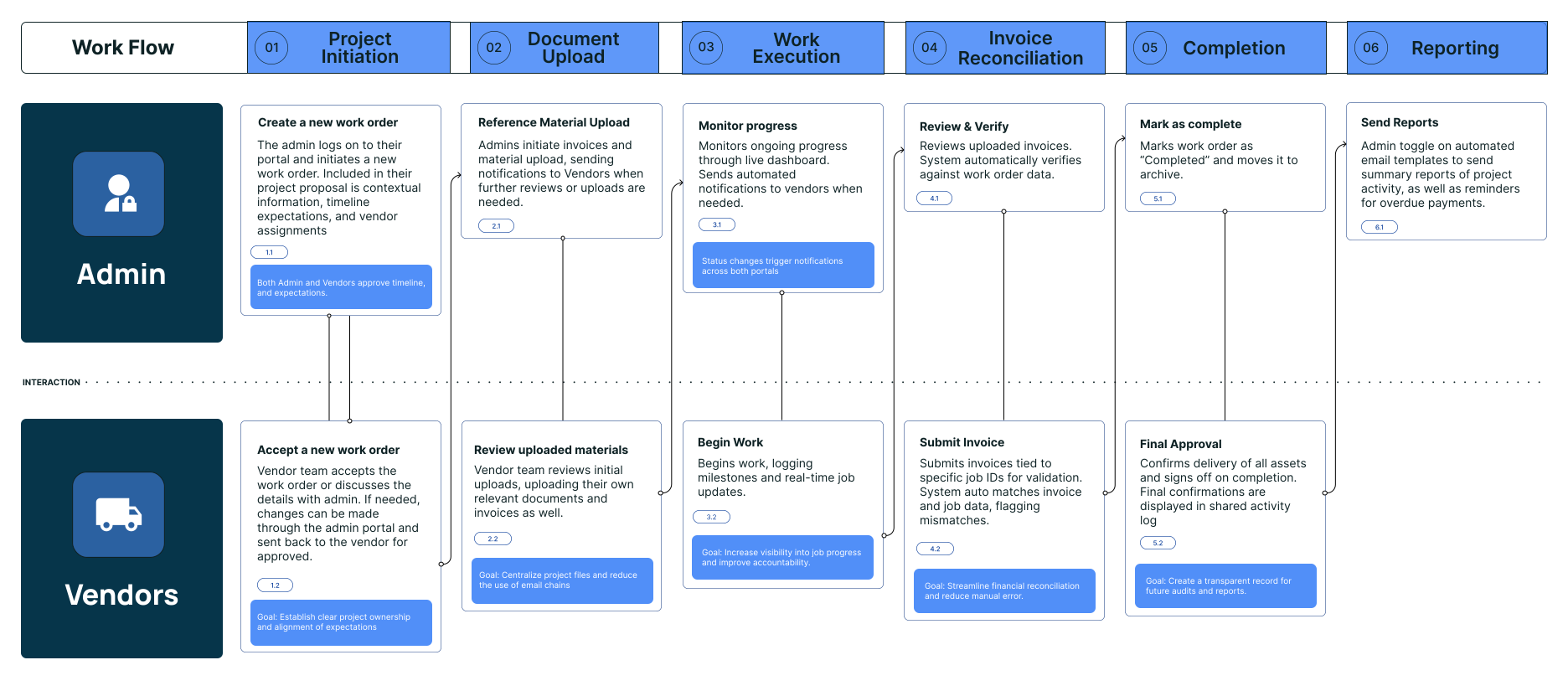
Based on stakeholder interviews, I reimagined the user journey, focusing on the most common bottlenecks in work order assignment, document upload, and payment verification. This process helped me redesign a clearer workflow, and better understand the necessary points of interation between each portal.
Iterating
I used my research findings to guide key design decisions
Finding
Work order confusion
Insight
Many vendors referred to jobs using different naming conventions (WO #, Job #, Ticket #, etc).
There was no clear ownership over work orders.
Design Decision
Introduced auto-generated Work Order IDs to standardize across views. Assign work orders directly to vendors and view real time status updates.
Finding
Bottlenecks - invoice reconcilliation
Insight
Currently relying on manual matching between vendors and customer invoices, creating lots of human error.
Design Decision
Designed an invoice matching screen that visually compares data and flags mismatches.
Finding
Cross-portal communication gaps
Insight
Internal dispatchers and external vendors relied on separate email threads for confirmations, causing redundant updates, missing info, and miscommunication.
Design Decision
Built in notification systems, live-status updates, automated email templates.
Information Architecture
The site was divided into two portals
The Admin portal allows admin to create, assign, and track work orders and their cooresponsing invoices. The vendor portal allows vendors to view assignments and upload relevant documents. Live status updates, push notifications, and automated email templates allow for interaction points between the two portals, streamlining the communication process.
Admin Portal
Manage jobs, assign vendors, view invoices, and track activity.
New Work Order Form
Work Order Details
Invoice Matching
Notification Management
Vendor Portal
Upload weigh tickets, invoices, and track payment status.
Accept or Reject Job
Upload Modal + File List
Payment History
Alerts & Reminders
Iterating
Expanding the dashboard and addign functionalitites
The original dashboard brought users directly to displaying work order tables, forcing users to navigate through the side tab to access recent activity and errors. Iterating to add a standalone dashboard page allows us to display alerts and recent activities in a quick manner, and avoids overwhelming the user with a data dense table.
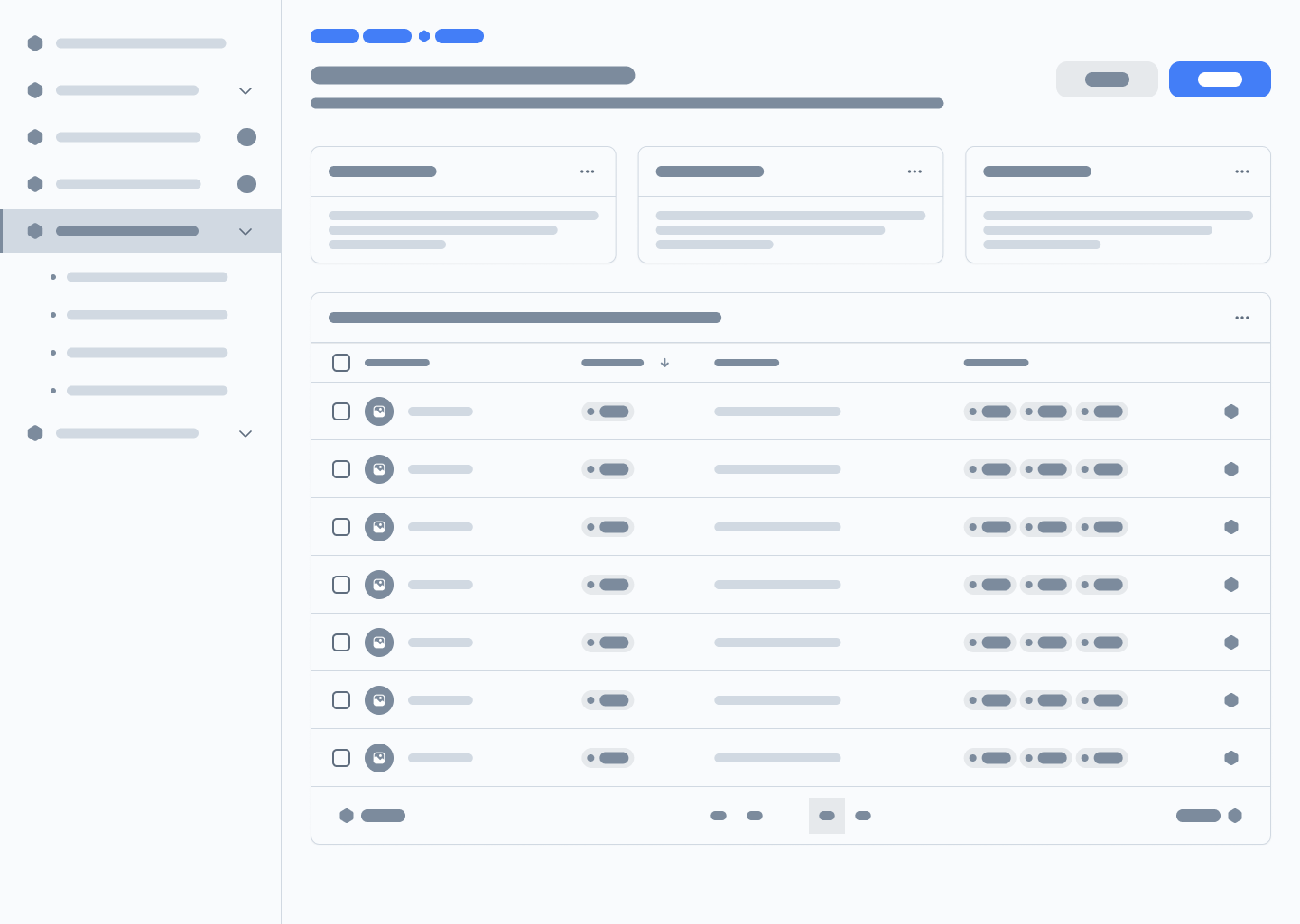
Initial Wireframe
Iteration
Design System
I built a component-based design system optimized for future scalability
Style
Students are most motivated to engaged with courses when they understand the relevance of these skills to their desired career field.
Typography
For the initial launch of the site, we will focus on three key audience groups, relying on their behaviors and insights to guide our design decisions.
Interaction States
Students value time, cost, rating, and lesson format when choosing a course. Students like to know what exactly they get out of completing a course.
Layout
Students are more likely to engage with courses from a trusted friend or alumni member.
Introducing...
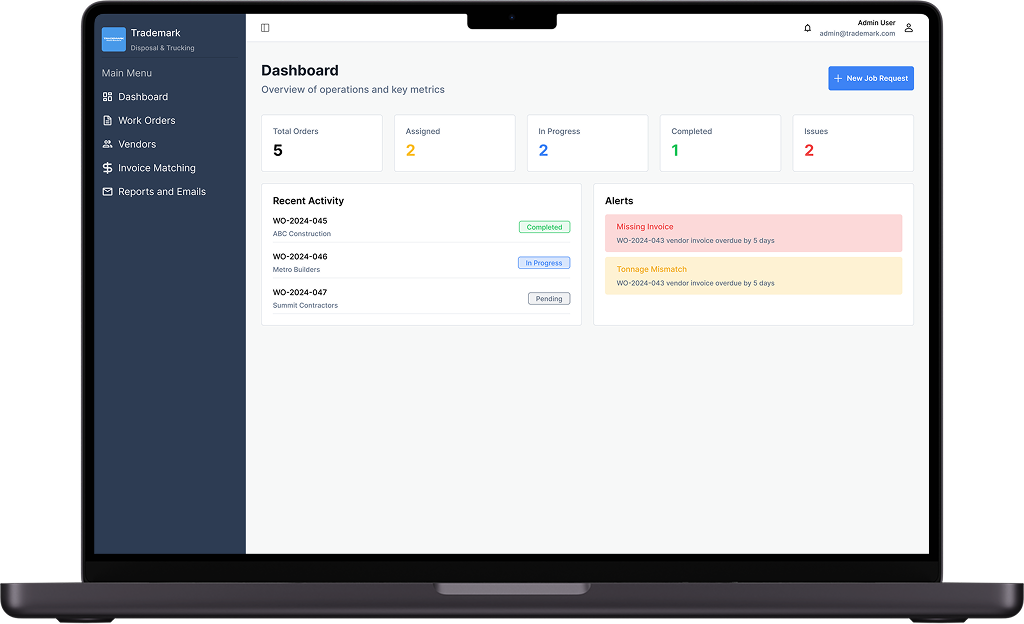
The Work Order Management Dashboard
Improving Productivity and Efficiency
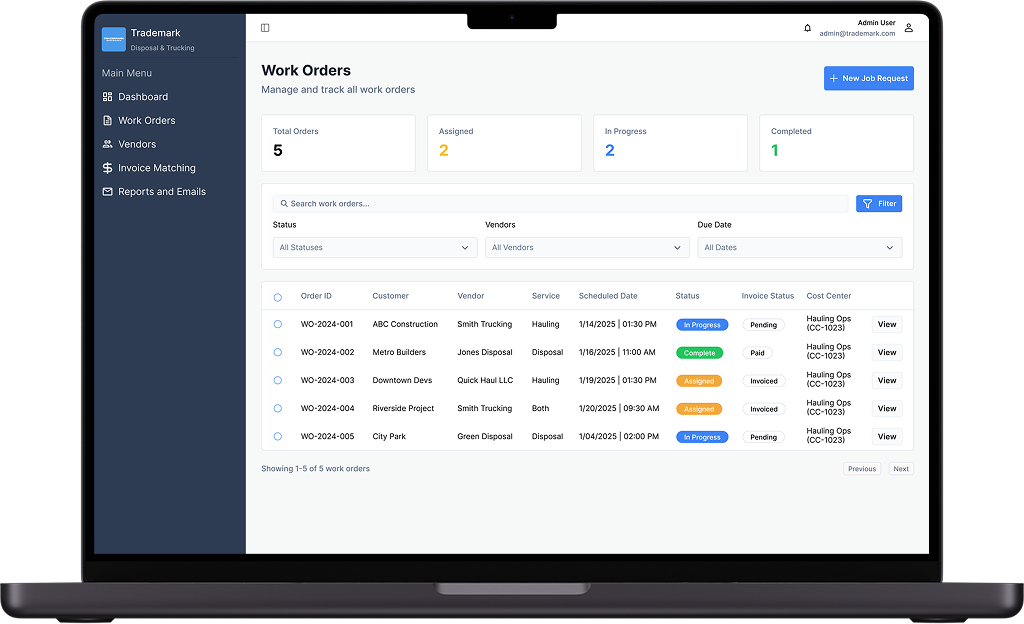
The dashboard provides a single operational hub managing all active jobs. View recent activity, project metrics, and important alerts.
Easily Manage Work Orders
View all your active work orders in one convinient location. Easily filter, export, and sync work order data to QuickBooks.
View work order details, status updates, and relevant uploads.
Create A Job Request & Assign Ownership
Easily begin new projects by creating a job request. Simply enter all relevant information and assign the job to a vendor for approval.
Manage All Your Vendors In One Place
View all your vendor contacts in one location. Easily manage contacts and assign vendors to specific jobs.
Never Make A Mistake With Automated Invioce Matching
Invoice matching reduces human error by catching discrepancies between documents uploaded by both vendors and admin. Once caught, admin can reconcile mismatches or send notifications to a vendor for reconcilliation.
Easily Edit Work Order Details And Keep Everyone In The Know
Easily edit work order details, delete uploaded documents, and add price adjustments at any point in the process. Automatically send updates and revision notifications to other team members and vendors.
Stay On Track With Weekly Reports
The platforms built in email templates allow users to automate messages and reports for other admin or vendors. This includes weekly activity reports, past due notices, and invoice reminders.
Results
The MVP was deployed internally and to a pilot group of five vendors. Within the first month:
42%
Reduction in data entry time after automating WO creation and form syncing.
97%
Drop in invoice discrepancies at completion of project.
26%
Faster average payment processign time.
29%
Increase in audit accuracy with real-time reconciliation between QuickBooks and portal data.
47%
Fewer duplicate job submissions due to unified tracking and standardized Work Order IDs.
38%
Reduction in weekly email communication between Admin and Vendors.
Key Takeaways
Speed doesn't mean guesswork
Even under tight deadlines, lightweight secondary research provided valuable evidence needed to guide design decisions.
Visual hierarchy matters
With such a data dense platform, relying on minimal interfaces allows users to focus on tasks without cognitive overload. This cuts down time to task completion, and boosts efficiency.
Balancing multiple audiences
Designing for both internal staff and external vendors meant balancing simplicity with operational depth. While each flow had to mirror the others workflow logic, clear boundries and distinct functionalities still had to be maintained.
Next Steps
Improving mobile responsiveness
Since many vendors access the portal through their mobile devices while on site, a mobile responsive version of the platform will be developed in the coming weeks. Giving vendors access through their monile devices increases frequency of communication between vendors and admin, and provides more accurate real time updates of the work order status.
Expanding analytics dashboards with vendor performance metrics
In future iterations we hope to integrate per-vendor performance metrics and live activity logs top track work performance and boost productivity.